What’s New for Fall 2026
zyBooks New AI Book
The zyBooks Artificial Intelligence zyBook was built for exactly this moment:
- Modern AI: deep learning, computer vision, NLP, large language models, generative AI, and ethics
- Interactive participation activities in every section — so students engage with ideas, not just read about them
- Challenge activities and a full test bank, ready for your LMS
- Chapters that update continuously — so this semester’s course reflects this semester’s AI
New Linux+ zyBook
Our new Linux+ zyBook covers the full Linux administration course, labs included:
- Maps 100% to the CompTIA Linux+ exam (XK0-006): system management, security and file permissions, scripting, containers and automation, networking and storage, and troubleshooting
- Over 235 animations and interactive case studies, so students work through concepts rather than memorize commands
- Auto-graded zyLabs on freestanding virtual machines, matched to the book content and short enough to finish in one sitting
- Challenge activities, chapter test banks, and Linux+ practice exams, ready for your LMS
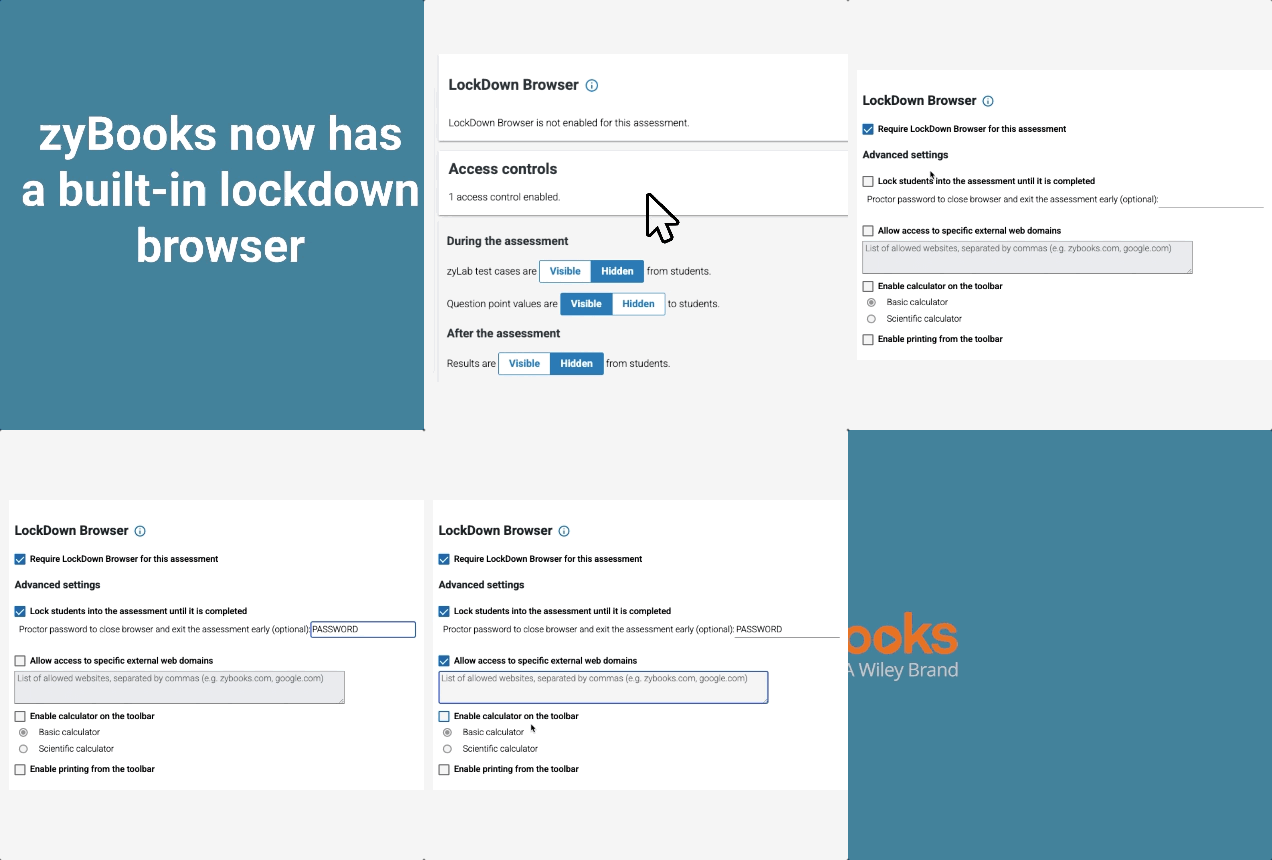
zyBooks now has the Respondus LockdownBrowser integrated in our system
Improve academic integrity directly in zyBooks assessments – and get grade passback with your LMS when you use LTI 1.3.
AI Hint Updates
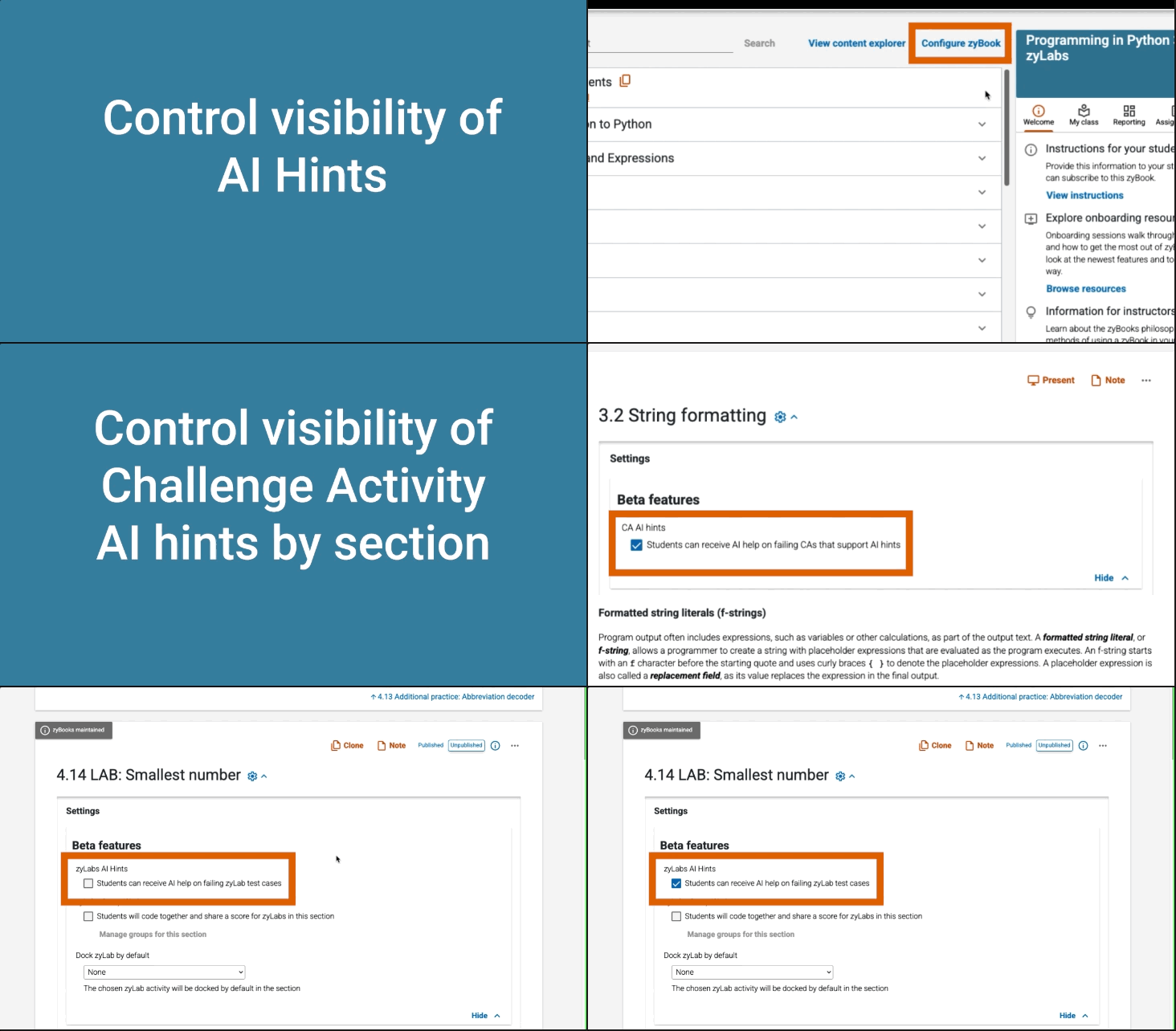
AI Hints are now available in select Challenge Activities as well as zyLabs
- Available for coding style challenge activities
- Instructors control the visibility of the tool
- Students see an option for a hint after 2 failed attempts
Allow students to get AI hints when they fail an autograded test in zyLabs
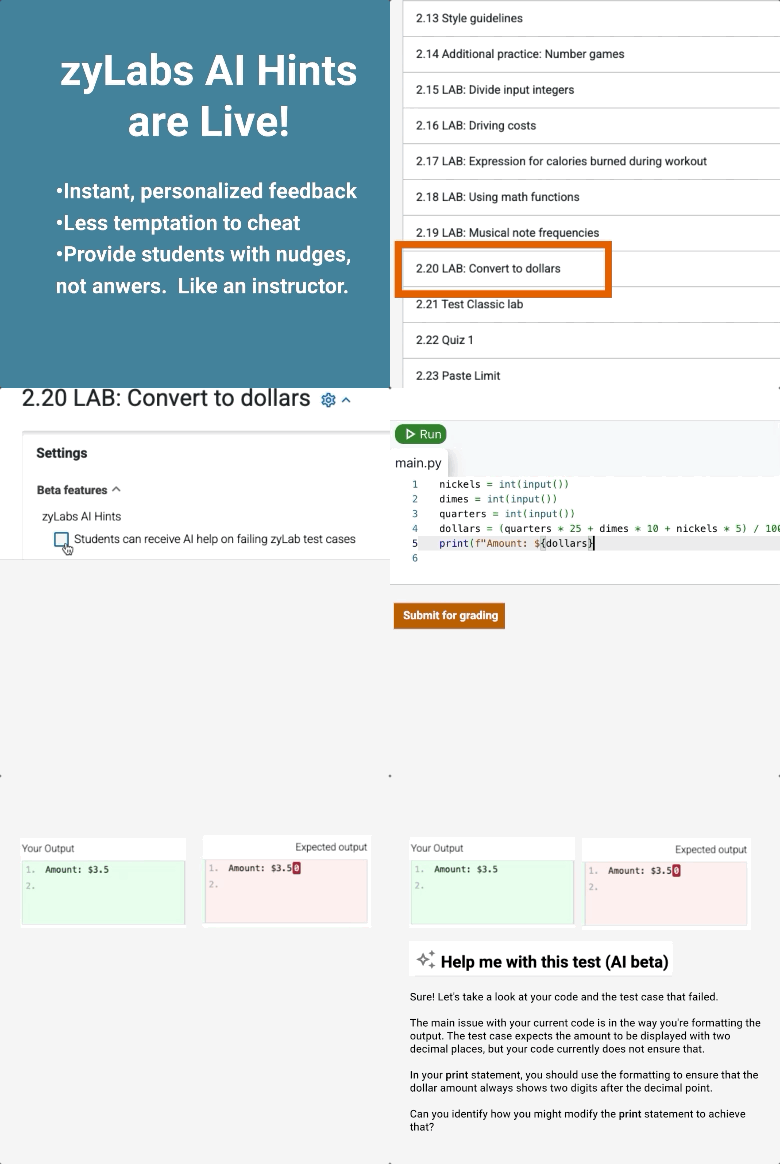
Control student access to AI hints globally, or by individual lab or section
Code Playback History Changes
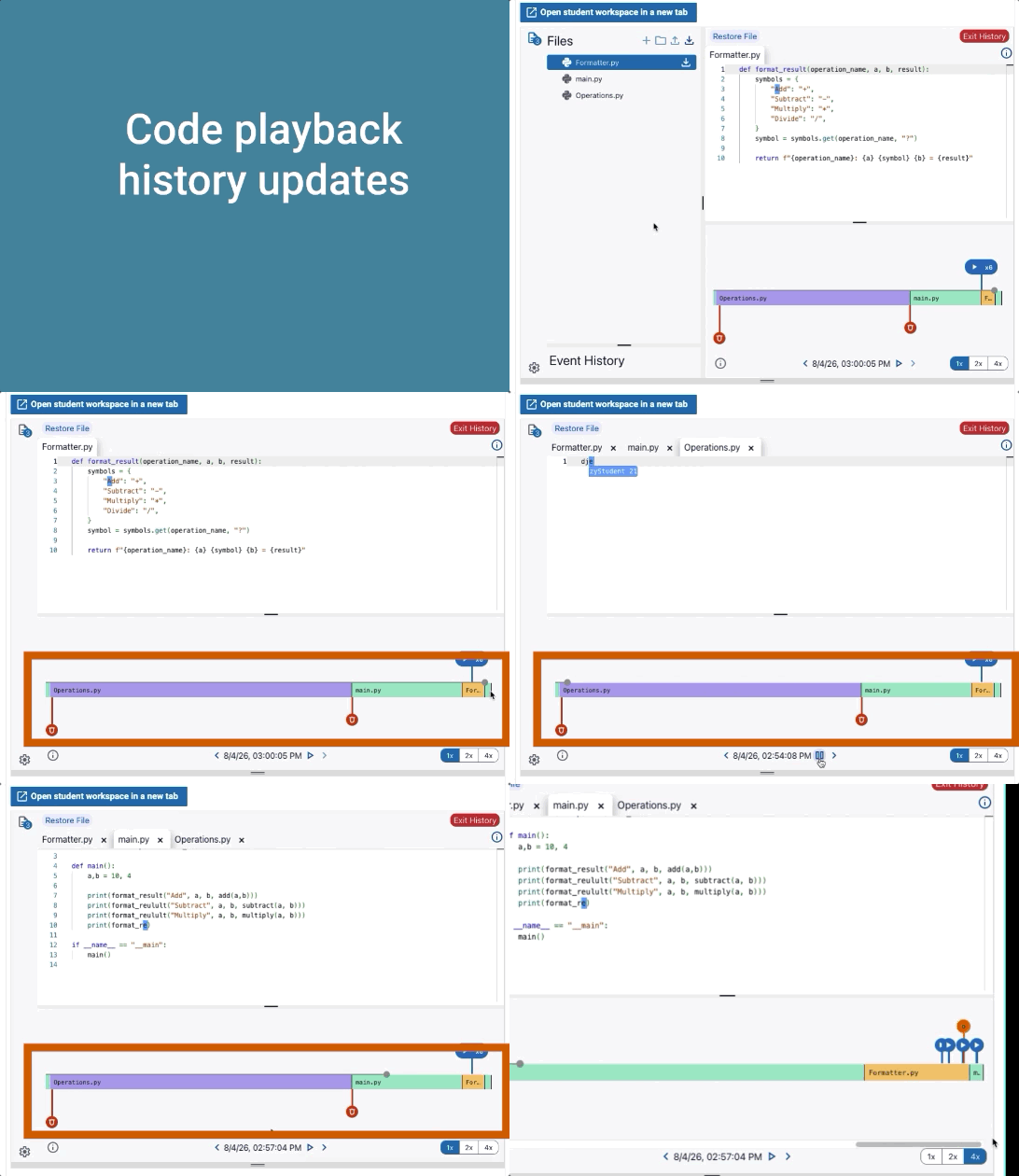
It is now easier to track student work in multiple files and zoom into their timeline
zyBooks Assessment Platform
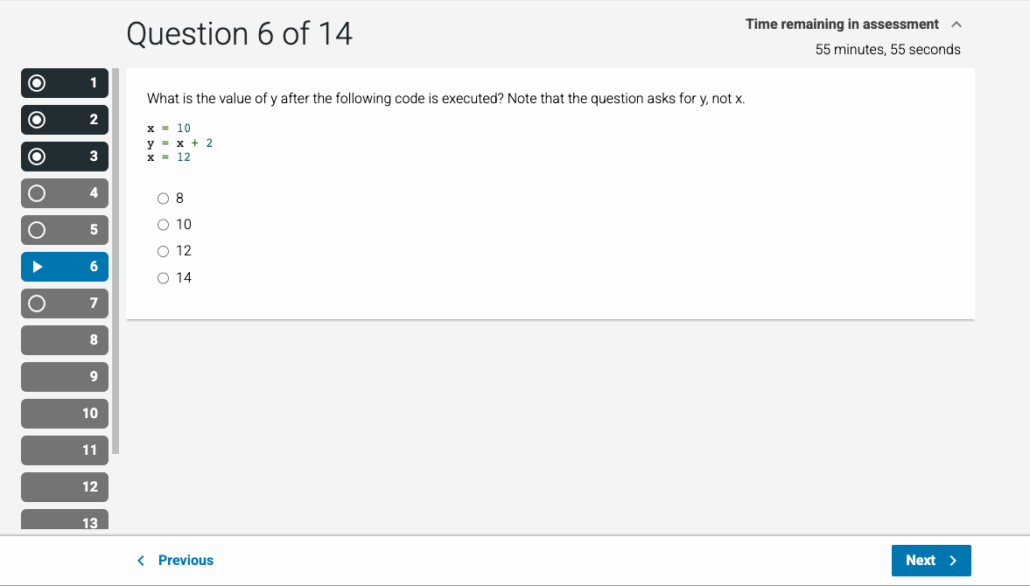
Our new assessments platform makes it easy to create assessments with the controls you need.
- Select from a variety of content types
- Multiple choice questions
- zyLabs
- zyBooks Challenge Activities
- Create question pools with your content or zyBooks’ content
- Pass results to your learning management system with LTI 1.3
- Use with common lockdown browsers
- Easy access management
AI Generated Multiple Choice Questions in Assessments
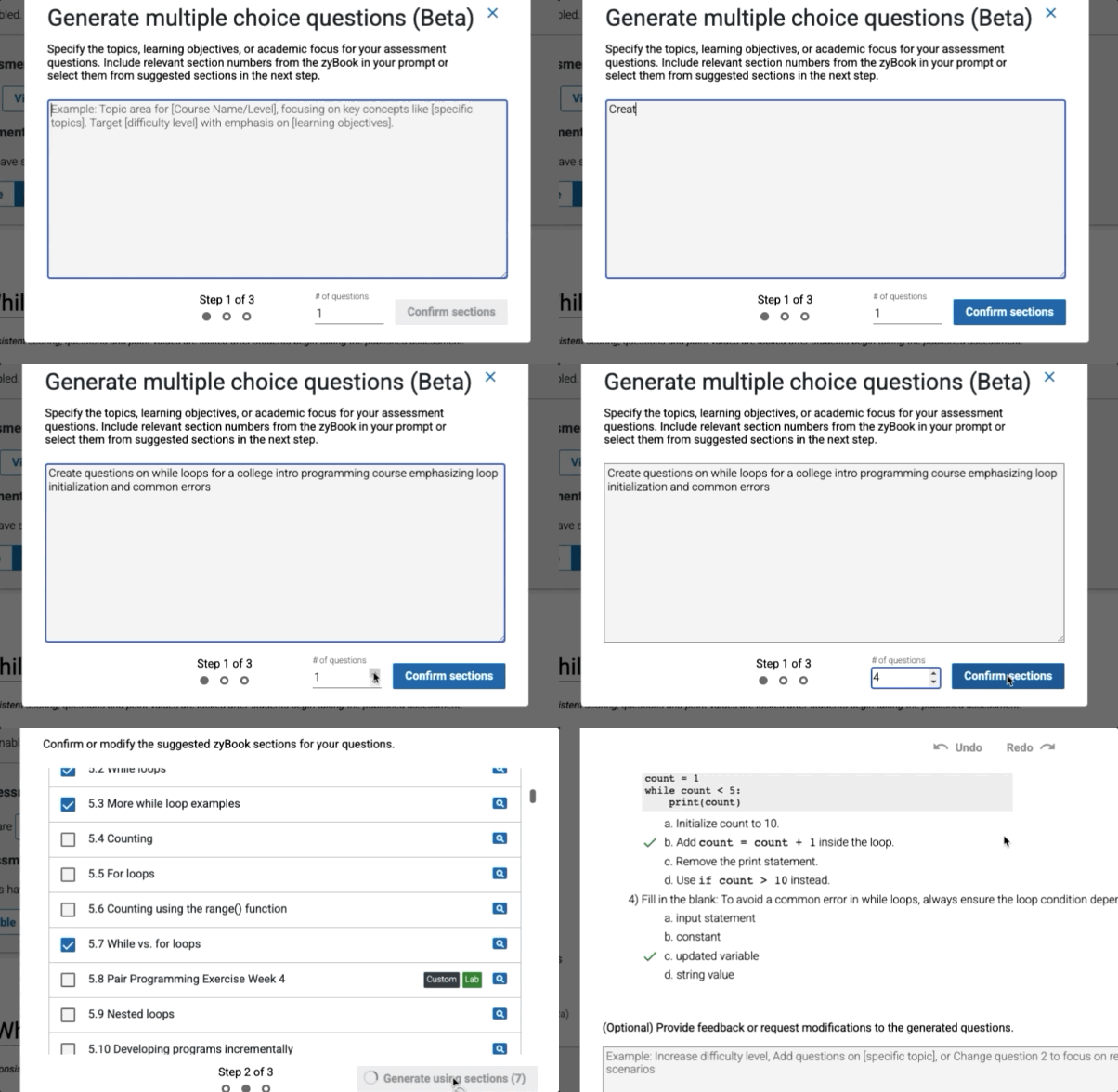
Save time creating assessments and question pools.
- Generated questions match zyBooks’ pedagogy
- Instructors control which sections will be used for question content
- Create question pools for more randomization
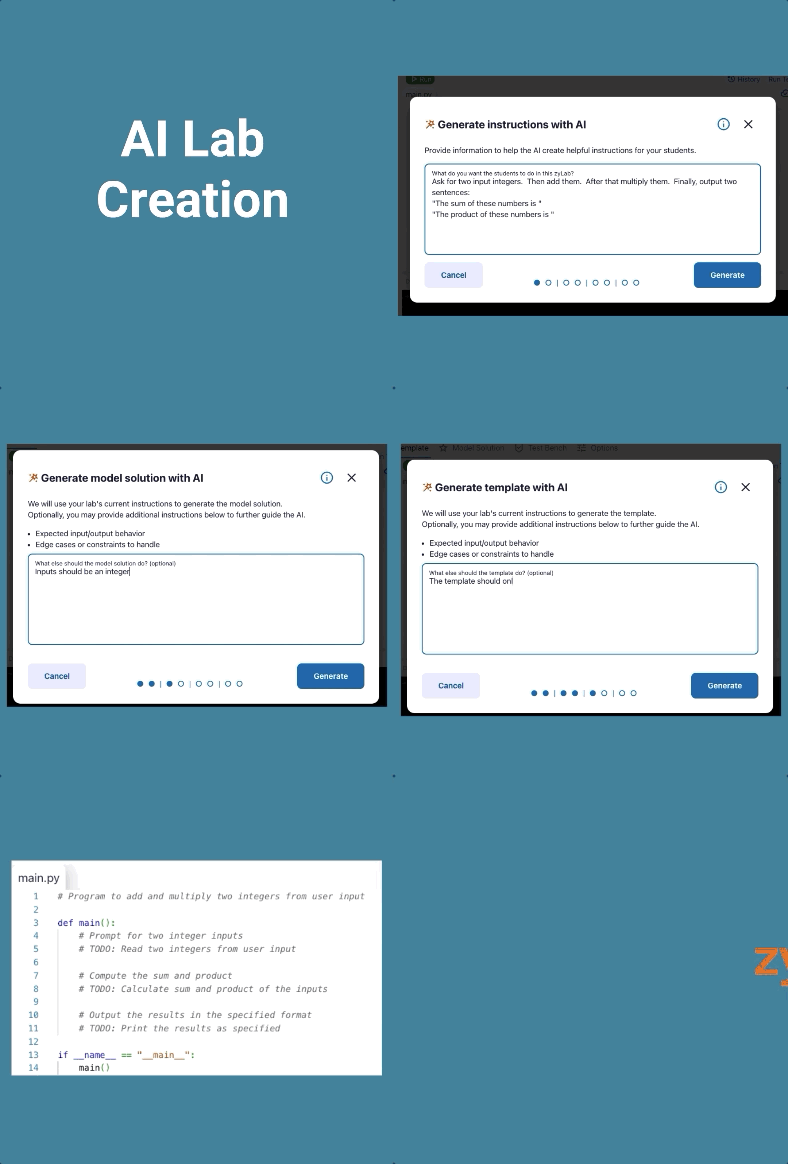
zyLabs AI Lab Creator
Use the wizard to create your own lab in minutes
- Create instructions
- Create a model solution
- Create the student template
- Create auto-graded unit tests for select languages
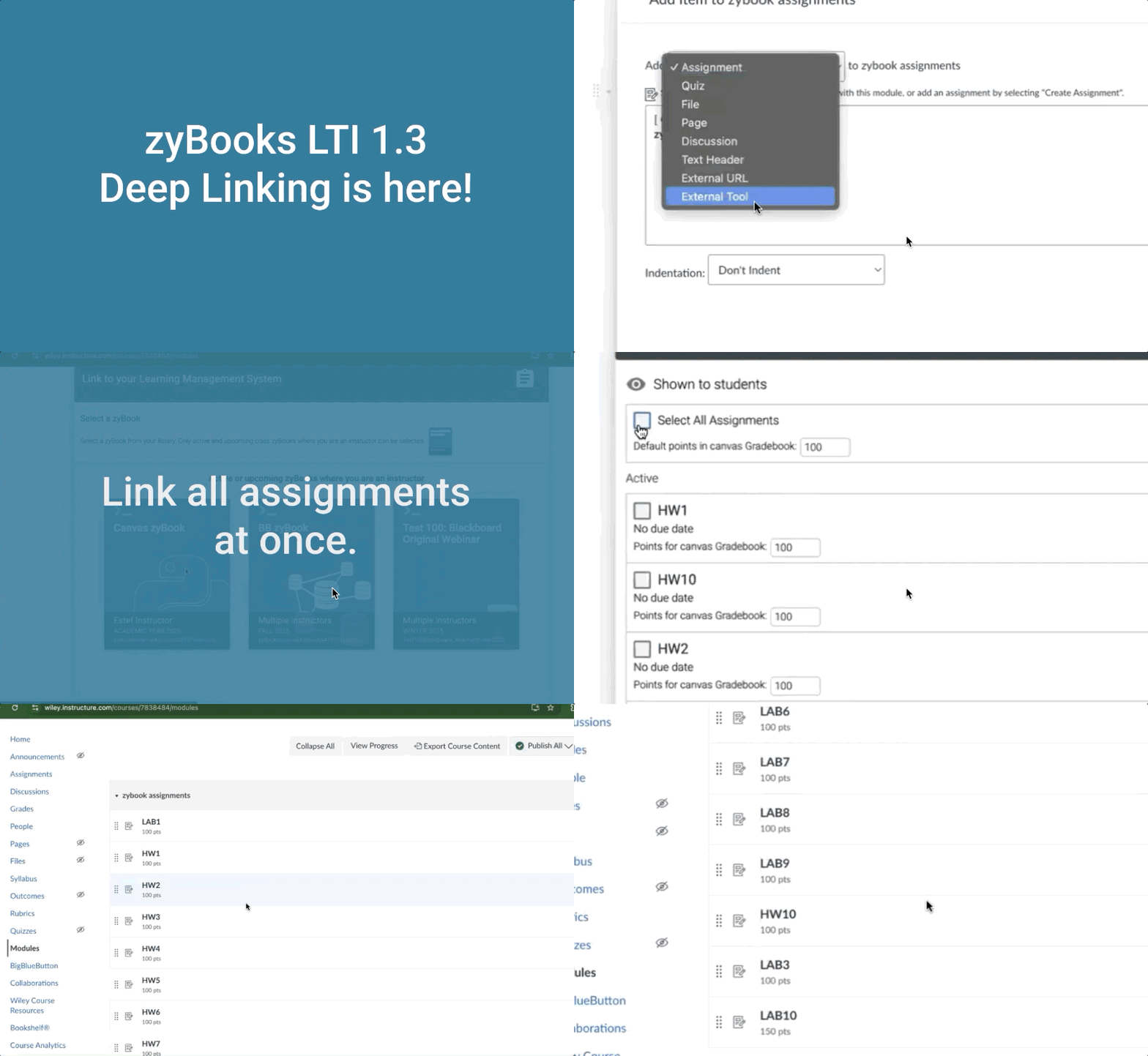
LTI 1.3 Resources – Deep Linking and LTI Assignment Auto Linking
Synching assignments and grades just got easier
Deep linking enables users to integrate all of their zyBook assignments or assessments simultaneously. This feature automatically creates corresponding assignments and grade items in the LMS with a few clicks. Note that this feature requires the LTI 1.3 deep linking tool.
Access controls in custom sections
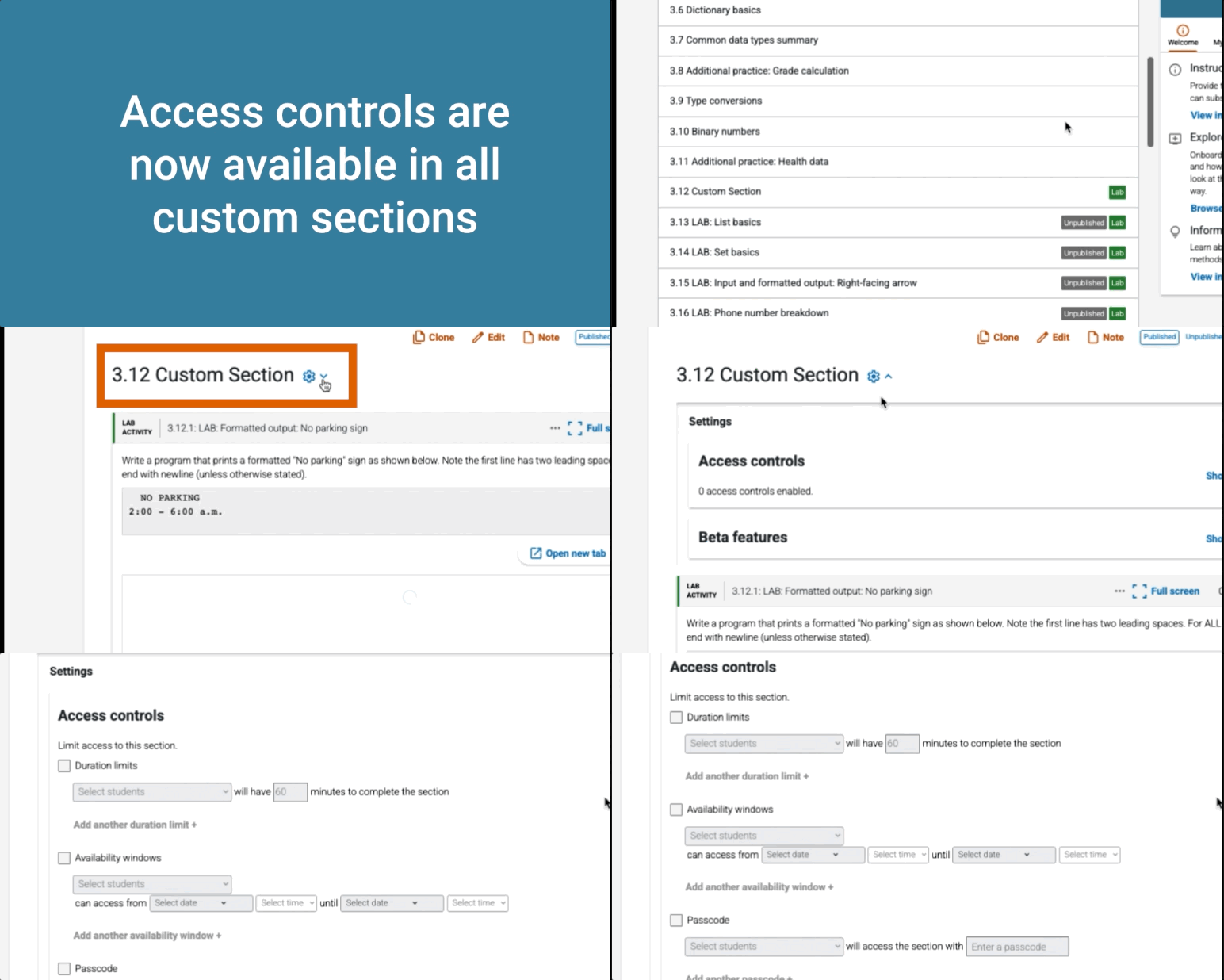
All section-level Access Controls and Lab Settings for custom created sections are now consolidated under the Section Settings panel.
Use the ‘Show’ dropdown to easily add or edit durations, availability windows and passcodes for custom sections alongside settings to enable AI hints, group work and docking for zyLabs. No need to enter section Edit mode.
With this improvement, instructors can now grant TAs the new “Edit access and configuration” permission to manage these settings independently, without providing full edit access to section content.
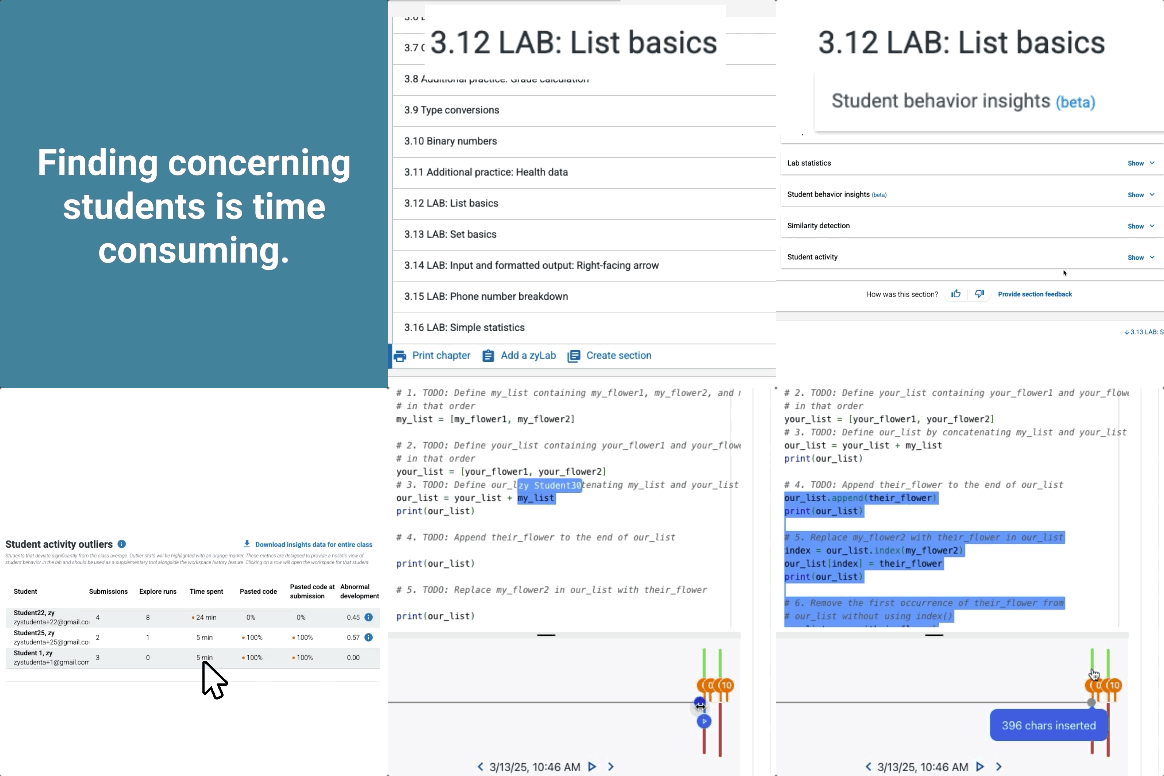
zyLabs Student Behavior Insights
You don’t have time to look at all of the code your students write
Student behavior insights helps you decide which code to examine further
See outliers in:
- Time spent
- Amount of code pasted
- Number of submissions
- Anomalous coding behavior
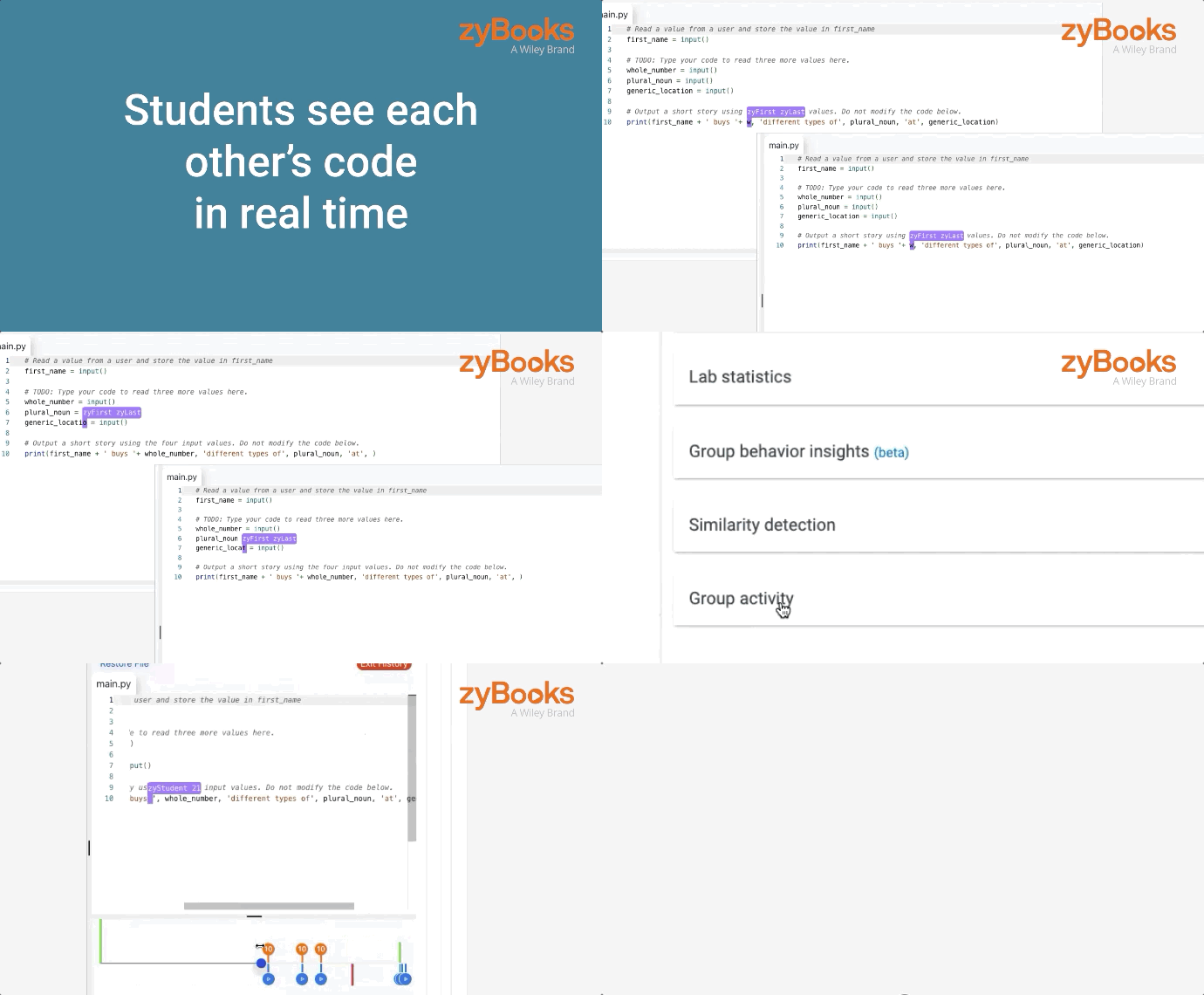
Pair/ Group Programming
Pair/group programming in zyLabs allows for collaborative learning and project work.
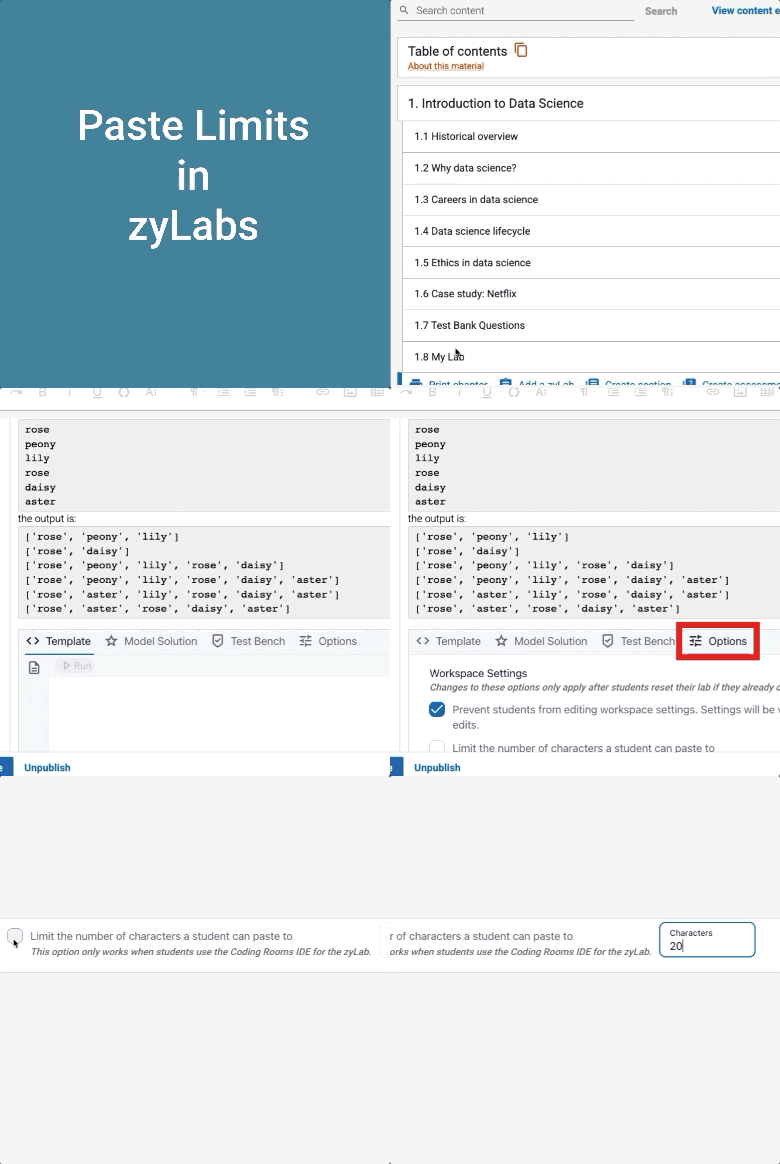
zyLabs Paste Limiting
zyLabs allows instructors to limit how many characters a student can paste when coding.
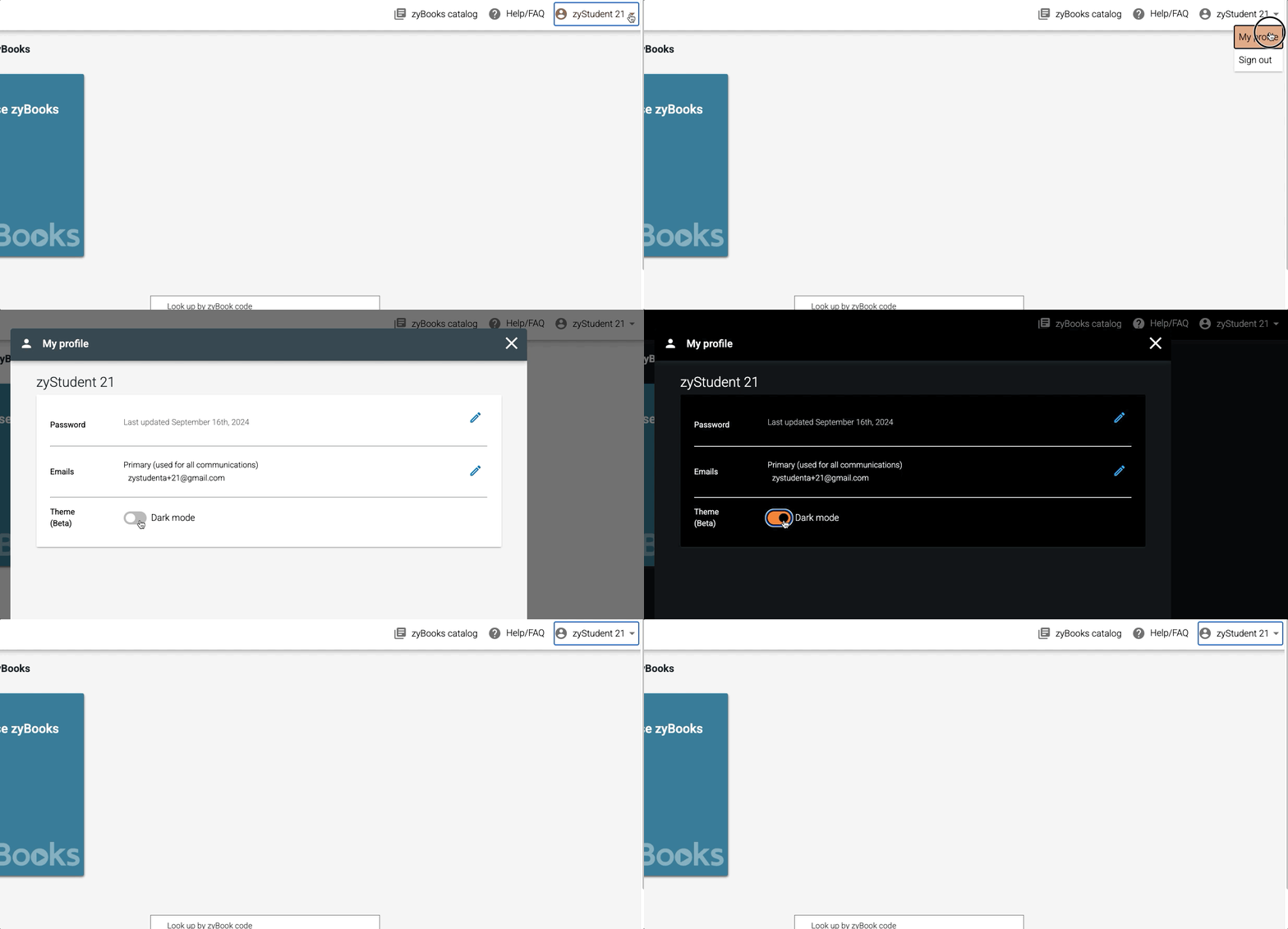
Dark Mode
In your profile settings there is now a Dark Mode option.
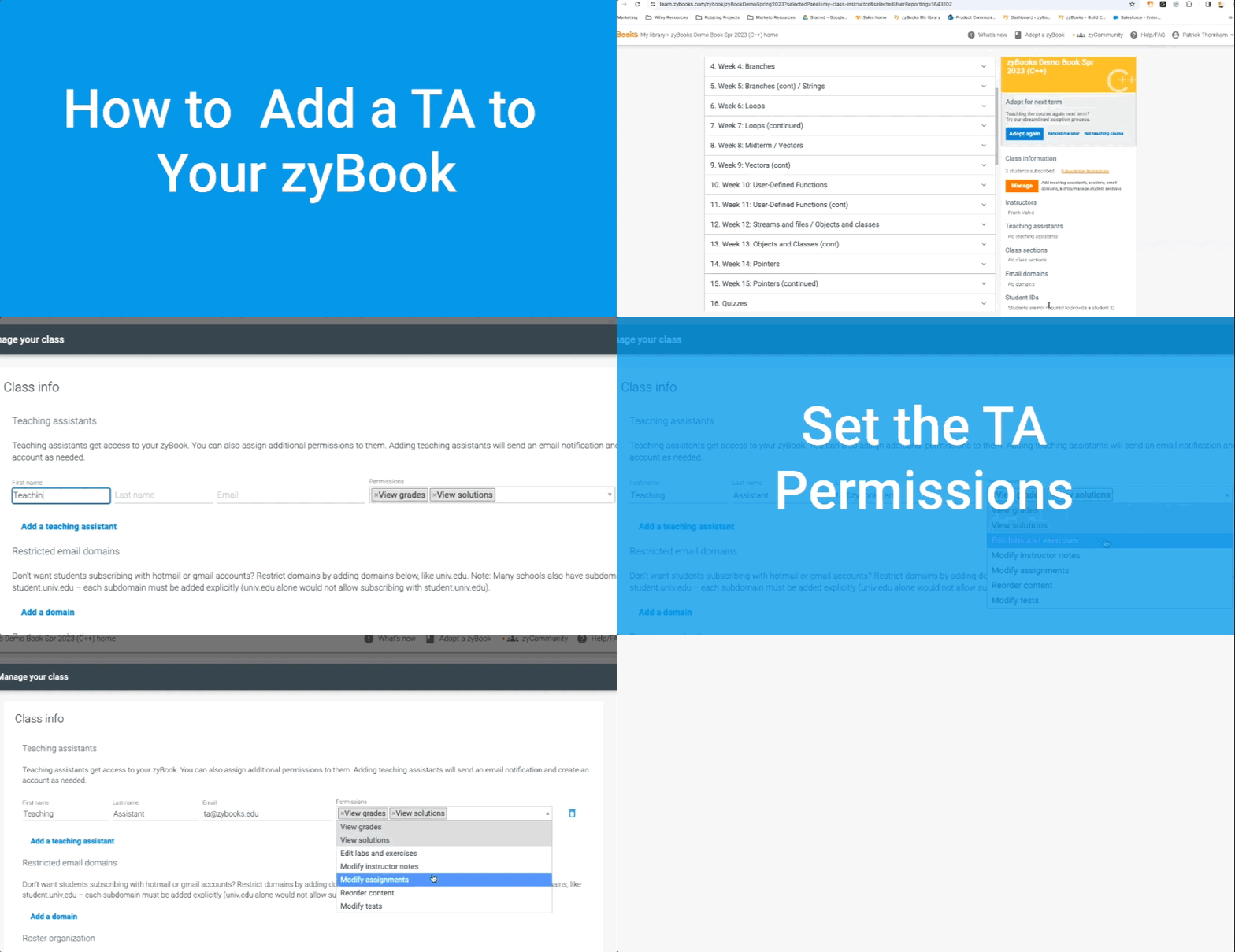
Quick zyBooks Tips
How to add a TA to your book
Tools for connecting your LMS
We have great resources to help you connect your zyBook with your LMS. Check out our resources here:
- Schedule an LTI/ LMS integration meeting with one of our experts
- ON DEMAND! Watch an LMS integration recording:
zyBooks and Financial Aid
The first chapter of any zyBooks is available to students without payment, meaning students do not have to fall behind on work as they wait for financial aid. The video below explains other ways students can get help if they are waiting for aid.
Adding notes to your zyBook
You can add notes to your zyBook that are visible either to your students, or just your TAs and fellow instructors.